
The Boring Interview - AI Interview Coach
// A full-stack AI interview simulator built with Next.js App Router, Supabase auth, and a modular AI coaching engine.
The Problem
Why_Software?
Most 'AI interview' tools are just chatbots with a microphone. They rarely model a real interview lifecycle: setup, timed questioning, live transcripts, voice feedback, and structured history that a user can revisit. Traditional coding test platforms also focus on questions, not coaching, and rarely expose how sessions are stored, scored, or secured. This project was built to explore a production-grade system design for AI interview coaching: authentication, dashboards, history, and an interview engine that feels like a real product, not a demo.
System Design
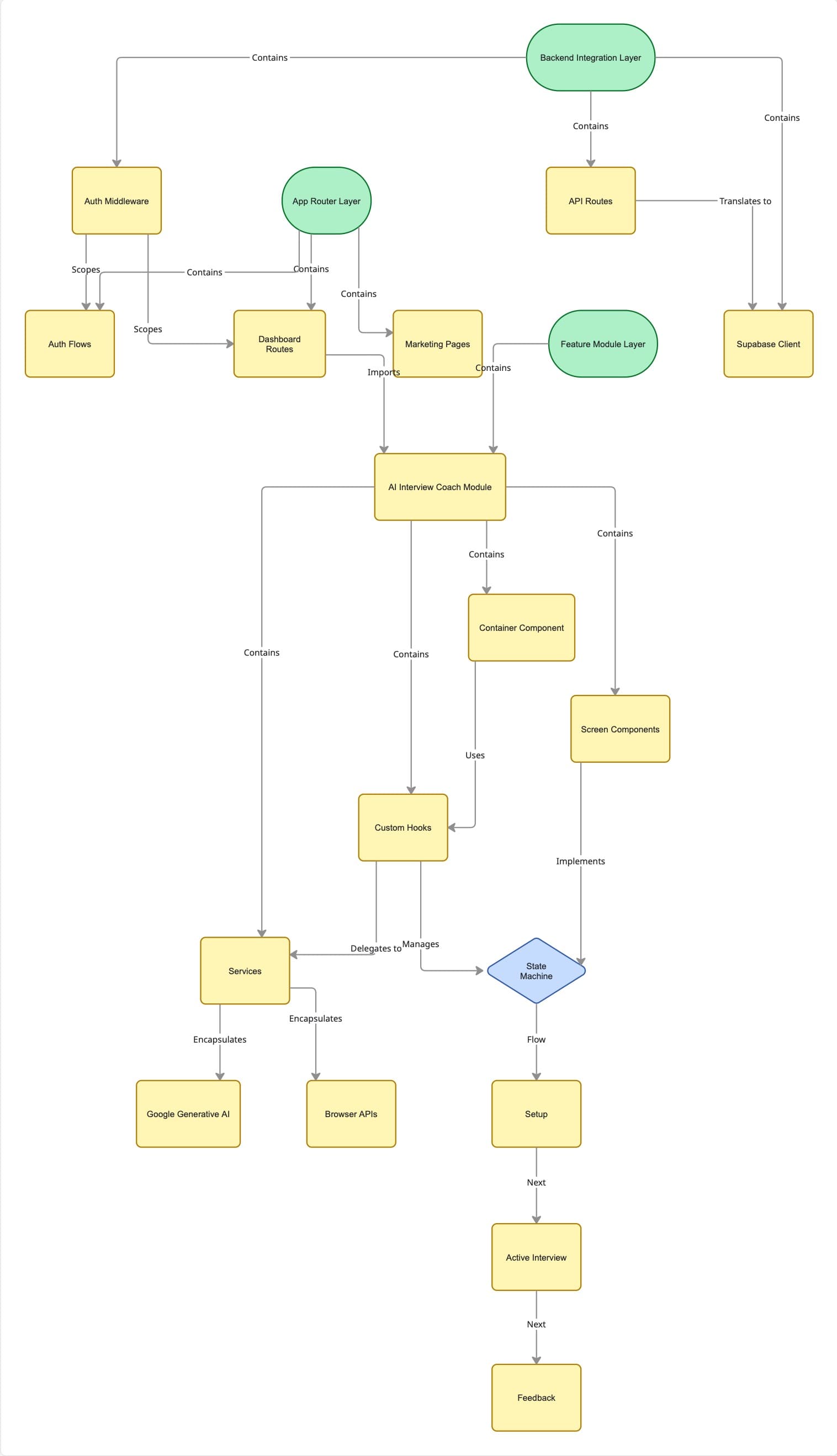
Architecture && Flow
The architecture enforces strict separation between Routing, Feature Modules, and Infrastructure. The AI coach runs as a portable state machine in `src/components`, completely decoupled from the Supabase-backed Auth & Dashboard layers in `src/app`. This 'black box' design ensures that the interview engine, UI state, and persistent data evolve independently.
Implementation Details
Modular AI Interview Orchestration
// The AI interview experience is composed like a small state machine. The top-level `AIInterview` component never touches low-level APIs; it just renders different screens based on the `useInterview` hook and delegates actions to it. This keeps business logic out of JSX and makes the whole feature portable.
// src/components/ai-interview-coach/AIInterview.tsx
import { useInterview } from "./hooks/useInterview";
import { SetupScreen } from "./components/SetupScreen";
import { InterviewScreen } from "./components/InterviewScreen";
import { FeedbackScreen } from "./components/FeedbackScreen";

export function AIInterview() {
  const interview = useInterview();

  if (interview.step === "setup") {
    return (
      <SetupScreen
        state={interview.setup}
        onStart={interview.startInterview}
        onUploadResume={interview.handleResumeUpload}
      />
    );
  }

  // ... (renders InterviewScreen or FeedbackScreen)
}
Supabase-Backed Login History API
// User-facing dashboard pages never talk to Supabase directly. Instead, they use small API routes that sit on top of a typed Supabase helper. This keeps the data access logic in one place and lets the UI stay focused on rendering.
// src/app/api/users/history/route.ts
import { NextResponse } from "next/server";
import { createServerClient } from "@/lib/supabase";

export async function GET() {
  const supabase = createServerClient();
  const { data: history, error } = await supabase
    .from("login_history")
    .select("*")
    .order("timestamp", { ascending: false })
    .limit(10);

  if (error) return NextResponse.json({ error }, { status: 500 });

  return NextResponse.json(
    (history || []).map((entry) => ({
      timestamp: entry.timestamp,
      ipAddress: entry.ip_address,
      // ...
    }))
  );
}Trade-offs
Consequences()
Complexity vs. Polish
Using specialized services (Supabase, GenAI, ElevenLabs) yields a polished UX but increases operational complexity (env vars, points of failure).
Accepted this complexity to demonstrate 'product-grade' quality over a simple demo.
Client-Side Coupling
The AI interview engine is tightly coupled to browser APIs (Web Audio, Canvas), preventing SSR for that specific component.
Necessary for real-time interactivity. The marketing pages remains SSR-friendly.
Headless Reuse
Domain logic is currently in hooks, meaning extraction to a non-React context would require refactoring.
Acceptable for now as React is the primary delivery vehicle.
Operating the Interview Coach

Step 1:Navigate to the main page and Click on the menu to access Login/Sign-up page.
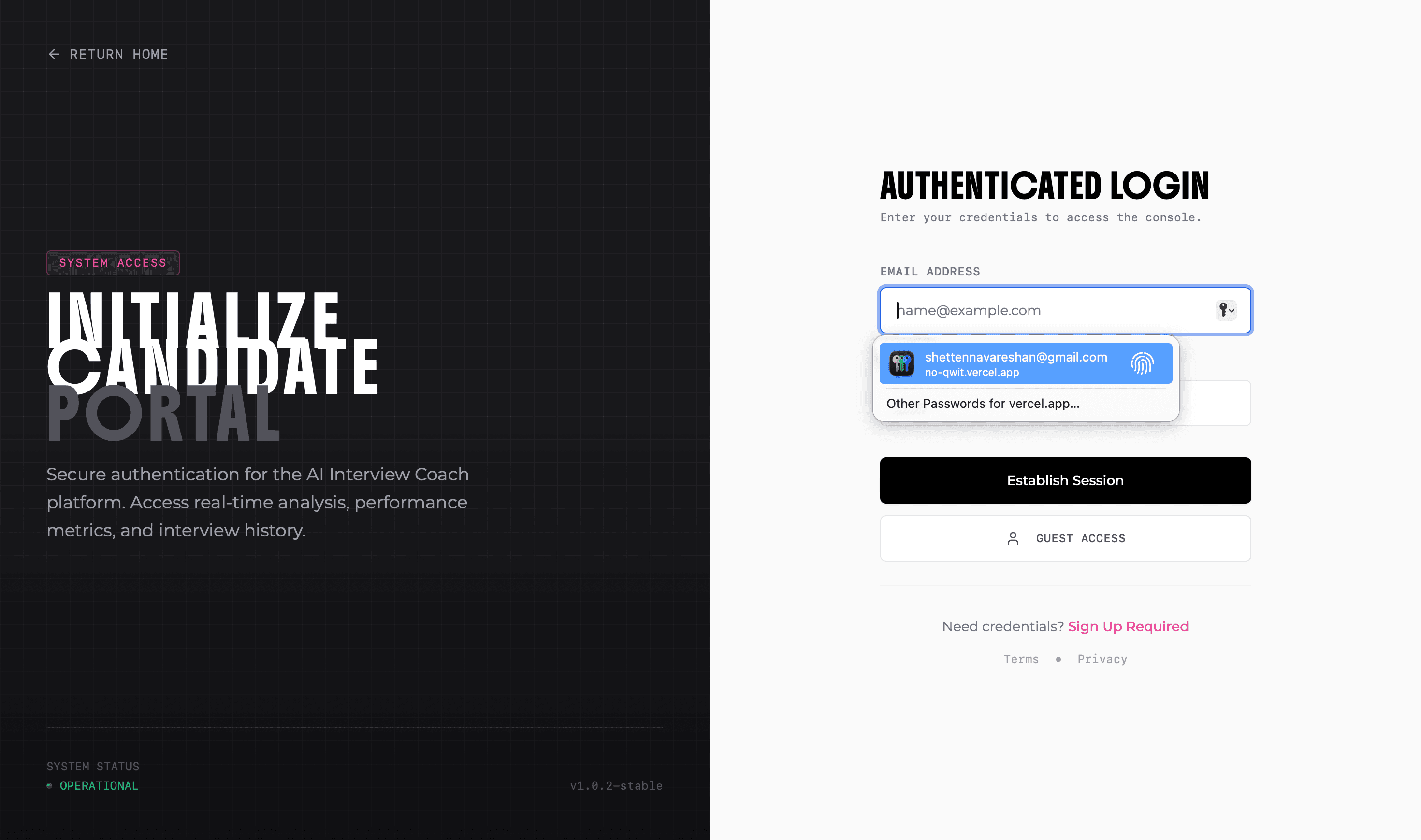
Step 2:Create an account or login to access The Boring Dashboard.
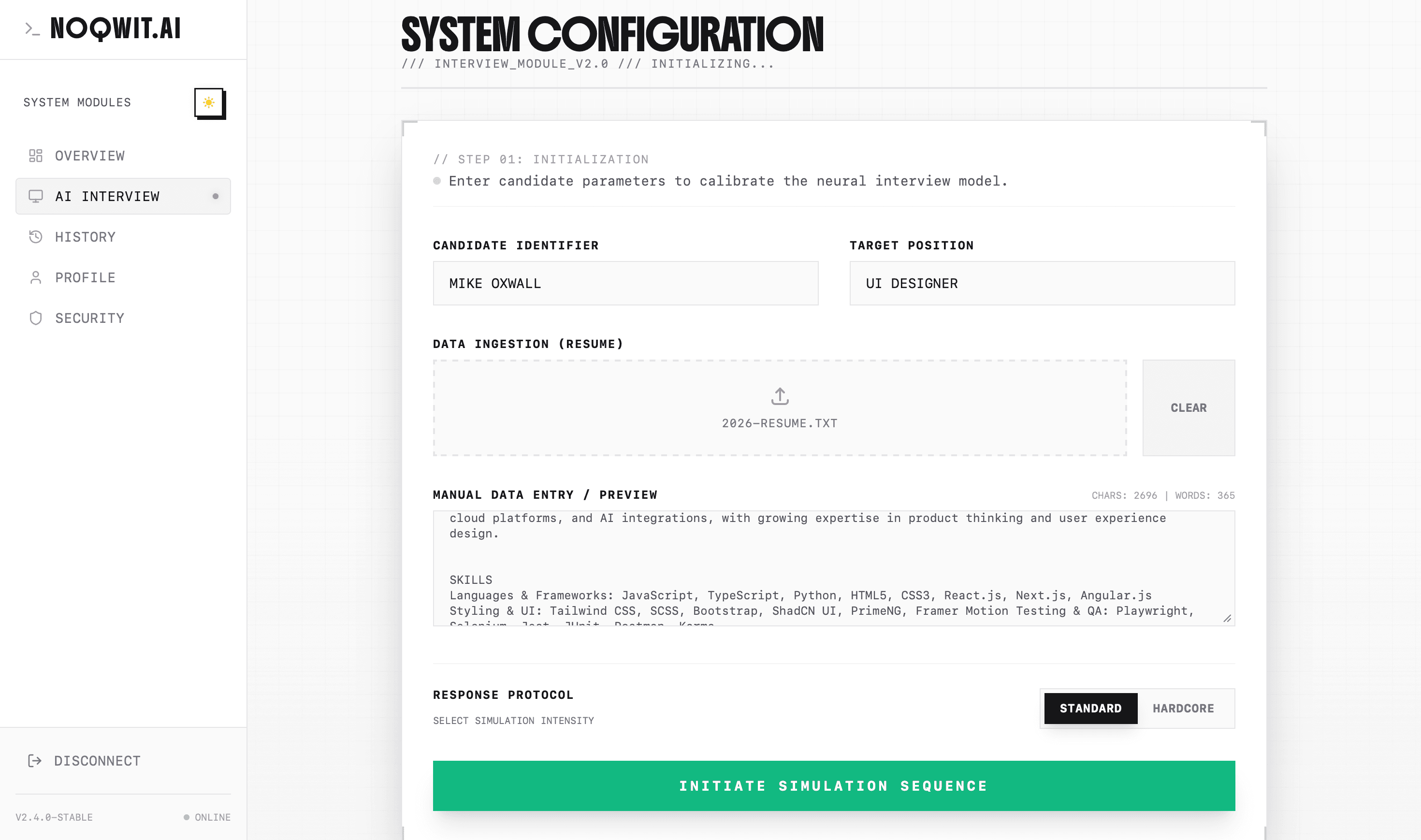
Step 3:After looking around the dashboard, click on the 'Start Interview' button/ Dashboard -> AI Interview, to start the interview. You can also upload your resume to get personalized feedback. Also, you can select the type of interview you want to have.
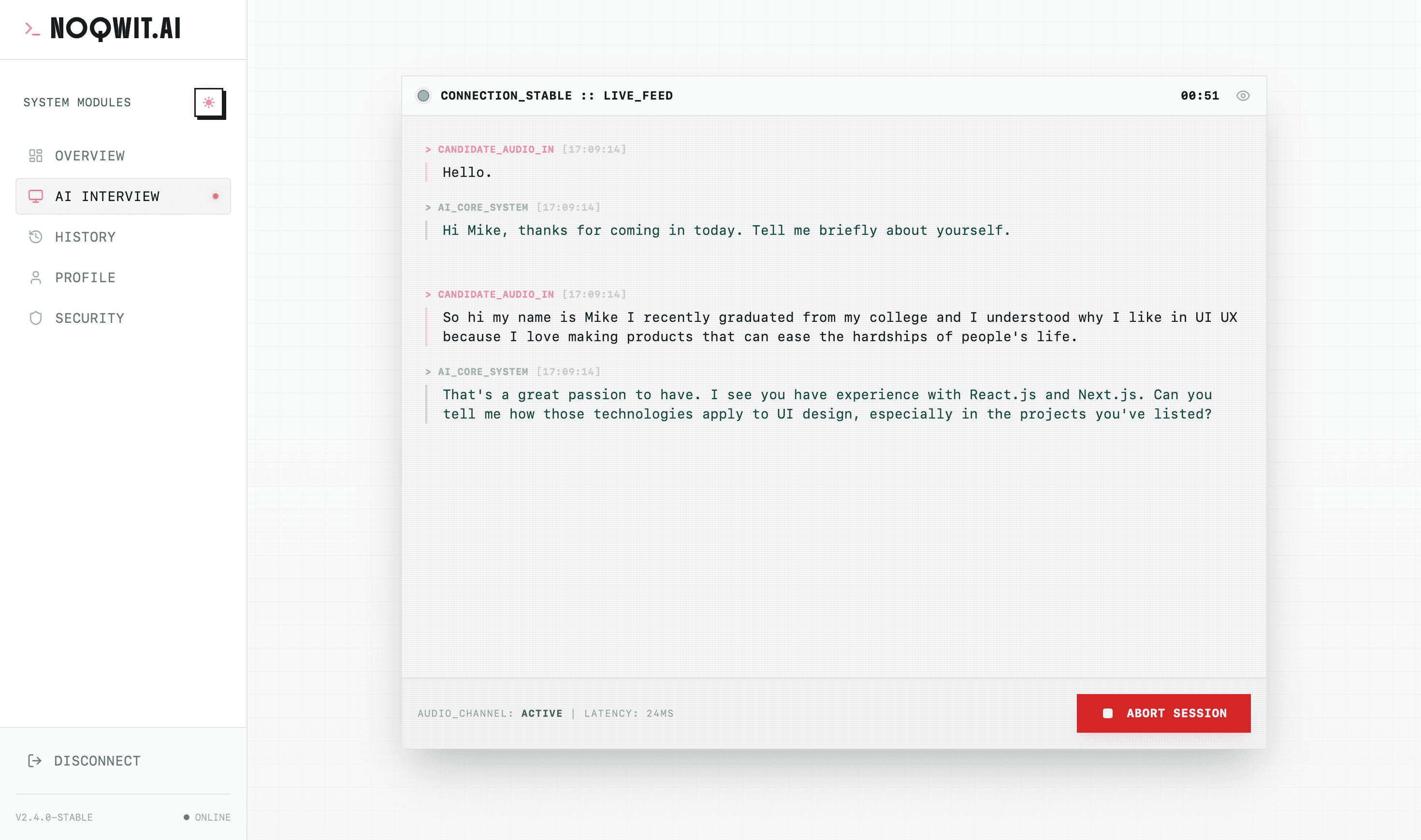
Step 4:Enjoy the Devs-friendly interactive console. After that click on Abort to end the interview and get a detailed feedback.
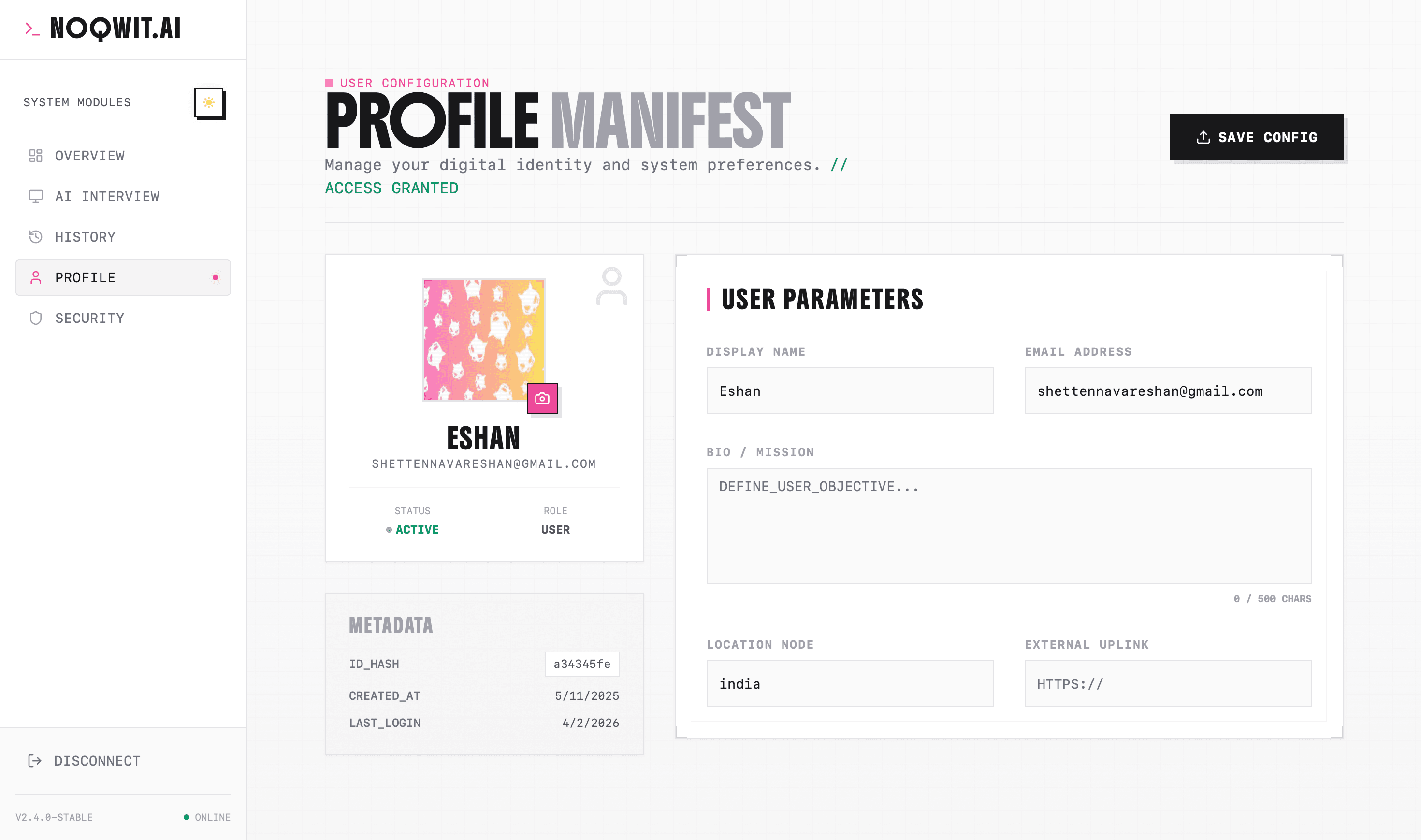
Step 5:Go to Dashboard -> Profile to update your profile picture and other details.
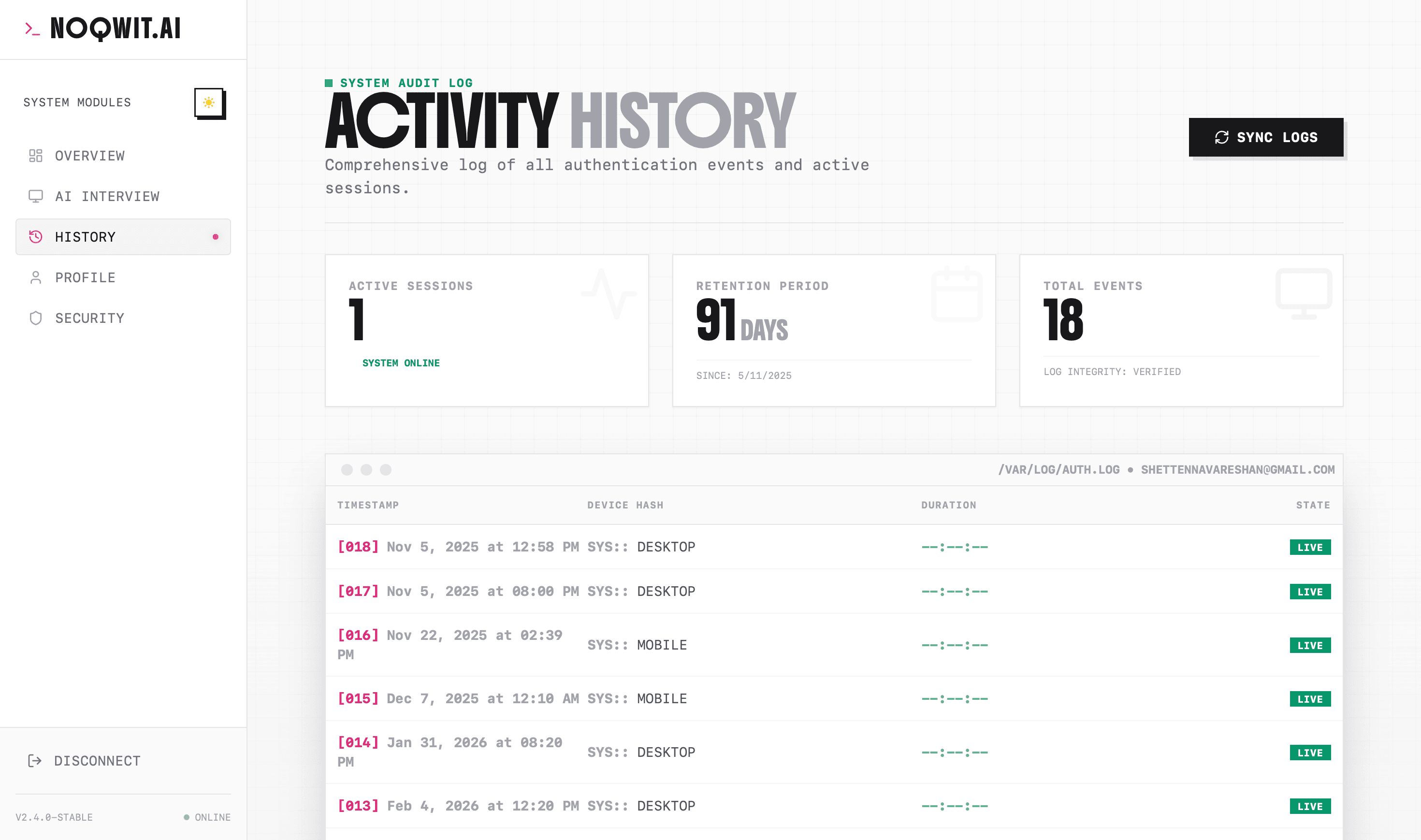
Step 6:Go to Dashboard -> History to view your interview/Login Activity.
Next_Steps.exe
Short Term
- Unify authentication/data fully under Supabase.
- Add A/B tests for different interview flows.
- Generalize AI service layer for multiple LLMs.
Long Term
- Extract interview engine into a standalone NPM package.
- Add an admin area to inspect anonymized interview analytics.
- Wrap experience in a mobile shell (Expo/Capacitor).